
Your Seerr, Plex and Jellyfin setup. On Mac.
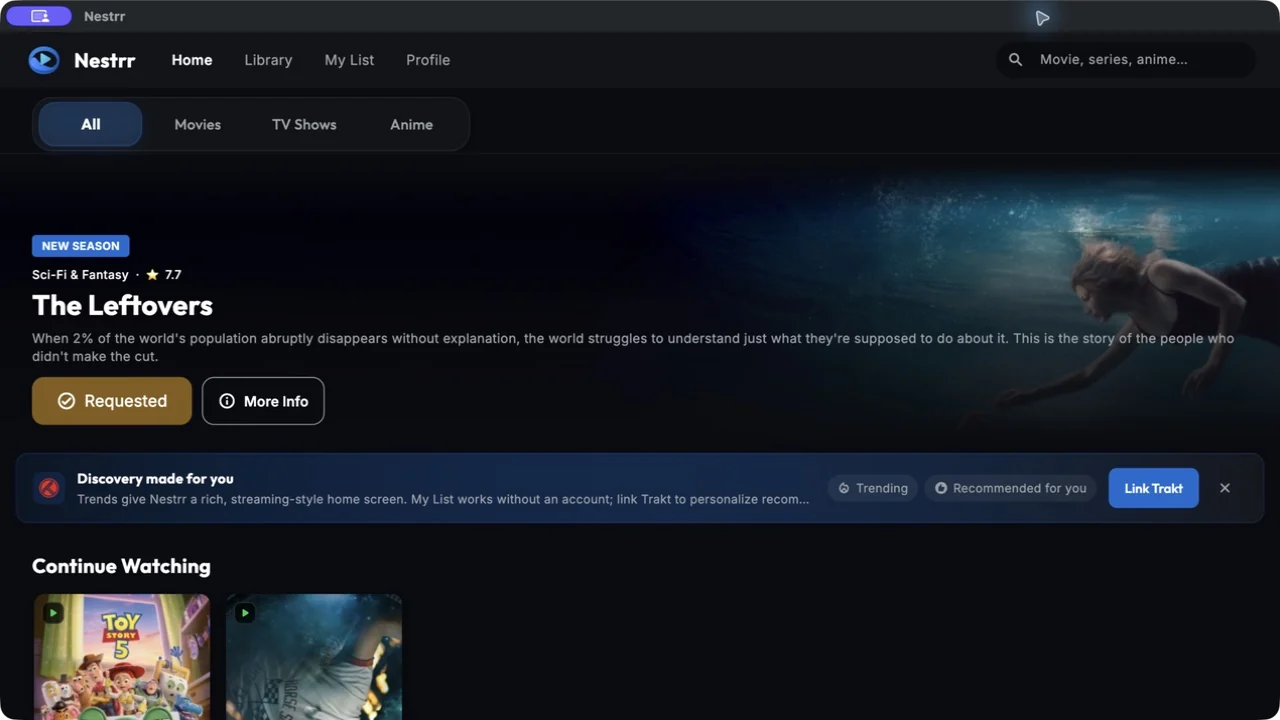
Browse your connected library, discover a title and request what is missing in the Nestrr desktop app.
Get started on macOS
- Open the Nestrr listing in the Mac App Store to check compatibility and install.
- Have your Seerr address and account details ready. For Plex, authorize Nestrr through Plex in your browser.
- Connect the matching Plex or Jellyfin server and browse your library.
A desktop view of your existing library
Use the larger screen to explore titles, revisit Continue Watching and manage your picks. Nestrr reads availability and playback progress from your connected server. My List works without Trakt; a linked Trakt account adds synced lists and favourites.
Servers and permissions still apply
Nestrr is a free companion app. It requires Seerr connected to Plex or Jellyfin, or a compatible Jellyseerr setup connected to Jellyfin. It does not host, sell or include films and series. Compatible player choices depend on your Mac, installed apps and server.
Need access from outside your home? Ask your administrator how to reach the server securely. Do not share passwords or access tokens with support.